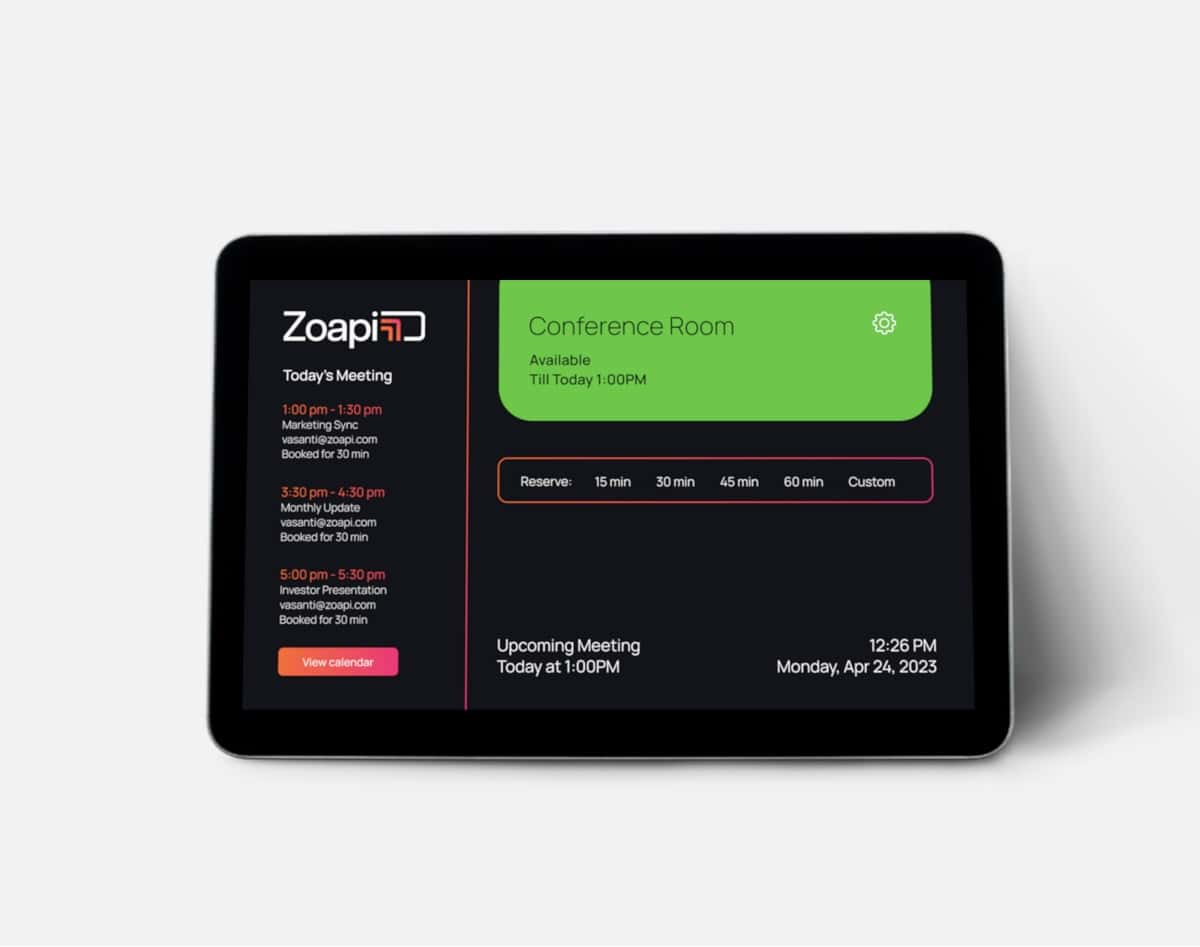
Managing meeting rooms efficiently is crucial for a productive workspace. With Zoapi Room Scheduler, you can eliminate double bookings, optimize space utilization, and streamline scheduling—ensuring that meetings run smoothly without any hassle
Make your meeting rooms tell the story
Enable visibility across all your meeting rooms with a scheduling panel that can be displayed outside every room. Get to know upcoming meeting details, room status, and utilisation insights through an intuitive interface. Now your team can book the right room with a simple tap.
Choose what is right for you
Whether you prefer a plug-and-play scheduling panel or installable software to turn your tablet into a scheduler, you can choose between Scheduler Sync and Scheduler Core – whichever fits your workflow best.

Zoapi Scheduler Sync
Zoapi Scheduler Sync is a one stop plug and play panel for efficient meeting room management.

Zoapi Scheduler Core
Zoapi Scheduler Core is a SaaS solution to convert your Android or iOS tablet into full-fledged scheduling solution.
Instant access to room status
Interact with an intuitive UI that lets you know a meeting room’s status at one glance. Three-way color indication for available, busy and occupied


Book meeting rooms with a simple tap
Use pre-configured buttons that help you and your team book meeting rooms seamlessly for 15, 30, 45 & 60 minutes.
Choose from multiple UI themes
Choose a theme that fits your needs. Configure the scheduler in Detailed, Minimal, or Visitor mode, with both Light and Dark themes available. Zoapi also supports both Landscape and Portrait orientations.


Make the most of your meeting rooms
From check-in to track meeting room usage, to auto-releasing unoccupied rooms, and even customizing wallpapers and logos—Zoapi Room Scheduler helps you optimize space efficiently.
Room Scheduler Features
Portrait and Landscape mode
Enjoy flexibility with support for both portrait and landscape orientations — use it in the mode that suits you best.
LED Color indication
The LED color indicators provide a quick visual reference: the screen and LEDs display green for available rooms, orange for busy, and red for occupied status.
Single Tap Booking
Easily book a meeting room with a single tap using pre-configured quick booking buttons.
View Day’s Meetings
Stay organized by viewing the entire day’s calendar directly on the home screen.
Auto Cancellation
Automatically cancel meetings and free up room resources in case of no-shows, ensuring efficient utilization of space.
Early Checkout
Free up meeting room resources when meetings finish early, promoting more efficient room utilization.
Customization
Personalize the scheduler by adding your own logo and wallpaper to match your brand identity.
Kiosk Mode
Lock the scheduler into a single application mode, preventing users from
accessing any other system functions for a focused and secure experience.
On Screen Color Indication
The on-screen colors quickly show room status: green for available,
orange for upcoming, and red for occupied.